How Does AI Multiple Face Swap Work? The Full Pipeline
AI Multiple Face Swap detects every face in a group photo, encodes each replacement identity and re-renders them all in one pass. Here is the pipeline.
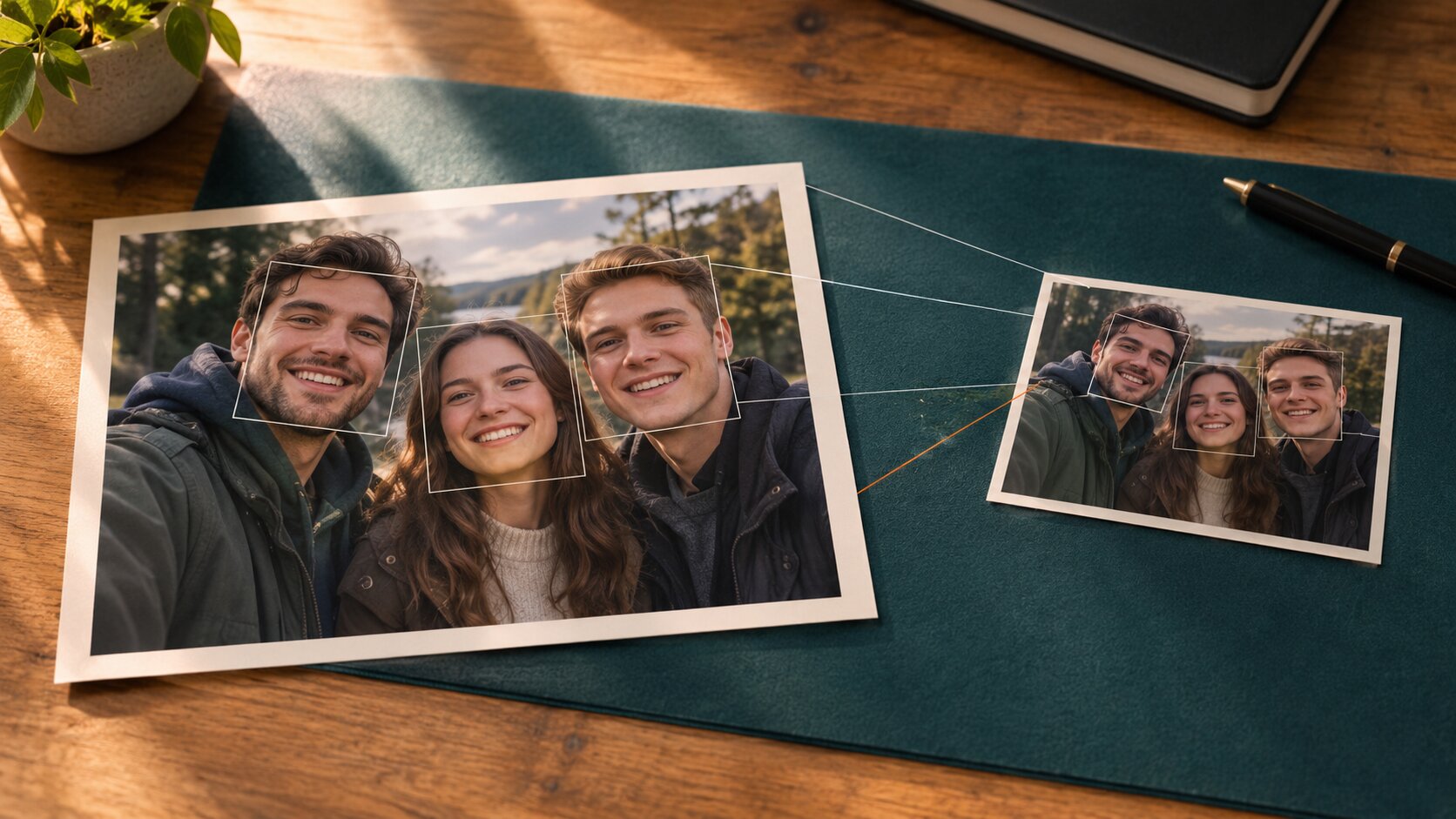
AI Multiple Face Swap works by measuring the people in your group photo, measuring the identities of the replacement faces you uploaded, and then generating a brand-new version of every face that is both at once. Nothing is copy-pasted. Each face is detected, aligned, encoded into an identity fingerprint, and re-rendered from scratch inside the shared scene — the group photo supplies the scene, the light, the framing and the pose, while each replacement face brings its own identity and hairstyle.
Dream Pixel AI's Try it freeAI Multiple Face SwapReplace up to eight faces in one group photo in a single run. runs that pipeline across the whole frame in the browser, so the entire group changes in one render.
How Does AI Multiple Face Swap Work? The Full Pipeline
Every multiple face swap system runs the same six stages, in the same order.
1. Detect every face in the group photo
A detection network scans the frame and returns a bounding box plus a set of landmark points for each person it finds — typically 68 or 106 of them, marking the jawline, eyes, nose, mouth and eyebrows.
The stage that trips people up is the ordering. A detector returns faces in whatever order it finds them, which has nothing to do with where they stand in the picture. The pipeline then sorts the boxes by horizontal position, because the user interface assigns the first replacement face to the leftmost person.
| Detection result | Effect on the rest of the pipeline |
|---|---|
| Face smaller than ~60px | Landmarks are noise; the identity is never recovered |
| Face partly blocked by a hand or hair | Half the landmarks are invented |
| Face cut off at the frame edge | The model has to invent the missing cheek and jaw |
| Two faces overlapping | The boxes collide and the ordering can flip |
2. Align every face
Both the group photo's faces and the replacement faces are rotated, scaled and cropped into a canonical orientation — the face is straightened so the eye line is horizontal and the head fills the same fraction of the frame.
Alignment is the stage people underestimate. It does not fix a bad angle; it makes the mismatch explicit so the model handles it honestly. A replacement face shot at 30° and a group photo shot straight on still require the decoder to invent an intermediate pose, and invented geometry is exactly what makes a swap look uncanny.
3. Encode each replacement identity
A recognition network turns each aligned replacement face into a compact numerical vector — the identity embedding. It is a few hundred numbers that encode who the person is while deliberately discarding pose, expression, lighting, hair and background.
This is the conceptual heart of the whole technique. Identity and appearance are separated. Once the identity is captured in a form that no longer contains a lighting model or a head angle, it can be decoded into a completely different lighting model and head angle.
4. Decode every identity into the same scene
This is the step that makes a multiple face swap different from four single swaps. Instead of rendering each replacement in isolation, every replacement is rendered into the same frame — one light model, one colour temperature, one grain, one scene — and each face keeps the head angle and the expression of the face it replaces, so the group still reads as one moment.
The decoder was trained on pairs of the same person in different conditions, so it learns the mapping from "identity under these conditions" to "that identity rendered under those conditions." Because the lighting is shared, the faces in the output look like they were photographed together.
5. Blend each face back into the scene
Each generated face is colour-matched to the group photo's colour temperature, its edges are feathered into the surrounding hair and jaw, and its contrast is matched to the local lighting. Then all of them are composited back over the original group photo.
| Stage | What it produces | What breaks it |
|---|---|---|
| Detection | A bounding box and landmarks per person | Small, blocked or overlapping faces |
| Ordering | A left-to-right seat map | Overlapping faces, tilted horizons |
| Alignment | Every face in a shared coordinate frame | Big pose mismatches between group and replacement |
| Identity encoding | One vector per replacement | Blur, motion smear, an over-filtered face |
| Decoding | New faces sharing one light model | Low-resolution replacements, hard shadows |
| Blending | A seamless composite | Mismatched colour temperature, busy backgrounds |
Why this is different from Photoshop
A manual face swap copies pixels. The pixels carry the original lighting, the original camera grain, the original skin texture and — critically — the original shadow direction. That is why a pasted face reads as fake to a human eye within a second, even when it is technically well aligned.
Generative swapping throws the pixels away. The new face is lit by the scene's light and shaded to match the rest of the frame, so it belongs to the photo by construction. When it goes wrong, it goes wrong in a generative way — a slightly wrong nose or an off skin tone — rather than in the obviously composited way of a copy-paste.
What Actually Makes a Group Result Look Real
Five things carry most of the realism, and they are also the five levers you control.
Shared lighting. The brightest part of every face should sit on the same side as the brightest part of the scene. In a multi-face render, one face lit from the wrong side breaks the illusion for the whole frame, not just for itself.
Matching hairstyles. The person you swap in brings their own hair, so a replacement with a very different style than the group reads as a stranger even when the face is perfect. Keep the hair roughly consistent with the group — similar length, similar texture — and the frame still reads as one photograph.
Skin tone continuity. Most models take the tone from the replacement face and the shading from the group photo. Mixing a very light replacement with a very dark scene produces a face that looks painted on.
Edge behaviour. Hair, the jawline and the ears are the hardest parts to blend. A halo of bright pixels along a hairline is the single most common tell.
Resolution and grain. A face rendered at 1024px and pasted into a 4000px group photo will be visibly softer than its surroundings. The eye reads the mismatch as "composite" even without naming why.
Frequently Asked Questions
How does AI Multiple Face Swap work in simple terms?
The software finds every face in your group photo, works out what order they appear in from left to right, and then measures the identity of each replacement face you uploaded. It then generates a new version of each face that keeps the replacement person — their facial structure and their hairstyle — while the face it replaces keeps its own head angle, gaze and expression, and blends all of them back into the same photo in one pass.
What is an identity embedding in face swapping?
It is a short numeric vector that a trained network produces for a face, capturing who the person is rather than how the photo looks. Because the vector is independent of pose and lighting, the decoder can rebuild the same person at a different angle, expression and colour temperature.
Why does a multiple face swap need one pass instead of four?
One pass gives every face in the frame the same light model, the same colour treatment and the same grain, because they are rendered together. Four separate renders each apply their own lighting, so when you place them side by side the difference in skin tone and shadow direction is usually visible.
How does the tool know which replacement face goes where?
The group photo is the anchor: its detected faces are sorted by horizontal position, and the replacement faces are assigned to them in the order you uploaded them. That is why the group photo has to be uploaded first and why the leftmost person gets the first replacement.
How long does an AI multiple face swap take?
A single run finishes in seconds at 1K resolution. Higher quality tiers take longer because the model renders at a larger working resolution, and asking for four variations at once multiplies the wait.
What breaks a multiple face swap?
Faces smaller than roughly 60 pixels, heavy occlusion, extreme profile angles, and a group photo with faces overlapping each other. Those break the detection stage, and everything downstream inherits the failure.
Does the group photo background change?
No. Only the face regions are regenerated. The background, the body, the clothing and the framing of the group photo are preserved, which is why the group photo has to already look right before you start.
Which Tool to Use
- For replacing several faces in one group photo: Try it freeAI Multiple Face SwapReplace up to eight faces in one group photo in a single run. — one group photo plus up to eight replacement faces, one render.
- For a single face in a single photo: Try it freeAI Face SwapSwap faces between two photos with realistic results. — two slots, one button, one to four variations.
- For creating a face from nothing to use as a replacement: Try it freeAI Face GeneratorGenerate realistic AI faces for any creative use..
- For re-imagining the whole picture rather than just the faces: Try it freeAI Image EditorTransform a single photo with a text prompt — restyle, re-light, re-imagine..
Want a workflow question answered? Get in touch — we read every message.
Try these tools
Try it freeAI Multiple Face SwapReplace up to eight faces in one group photo in a single run.Try it freeAI Face SwapSwap faces between two photos with realistic results.Try it freeAI Image EditorTransform a single photo with a text prompt — restyle, re-light, re-imagine.Try it freeAI Face GeneratorGenerate realistic AI faces for any creative use.Sources
- InsightFace — Open-source face analysis toolkit — Reference for the detection, alignment and recognition stages used by most identity-preserving face swap models.
- arXiv — Identity-Preserving Face Swapping survey — Reference for the encoder-decoder architecture that separates identity from appearance in face swap models.
- MIT Media Lab — DeepFake detection research — Reference for how synthetic faces are identified and why lighting and boundary artefacts are the usual tells.
- U.S. Federal Trade Commission — AI-generated content and impersonation guidance — Reference for consent and disclosure expectations when publishing synthetic faces.