AI Watermark Remover Online Free

Remove watermarks, text, logos, and unwanted objects from photos instantly with AI — fast, clean, and free online.

Upload Your Image

Drag & drop or click to browse

JPEG, PNG, WEBP — max 5MB

You may only upload materials for which you have all necessary rights and permissions. Content involving minors or non-consensual content is strictly prohibited.

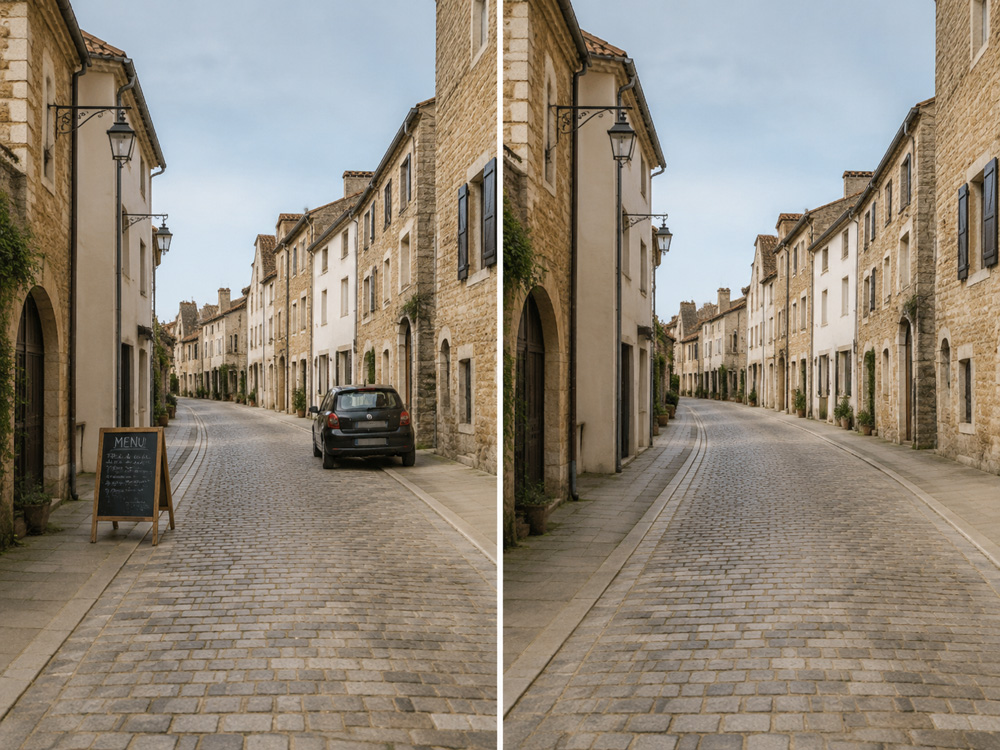
See What Our Watermark Remover Can Do

One tool, endless use cases. Our AI keeps backgrounds, textures, and lighting completely untouched.

Text Watermark Removal
Before
After

Text Watermark Removal

Erase text overlays, slogans, and captions from photos. Perfect for cleaning up artistic shots or personal memories.

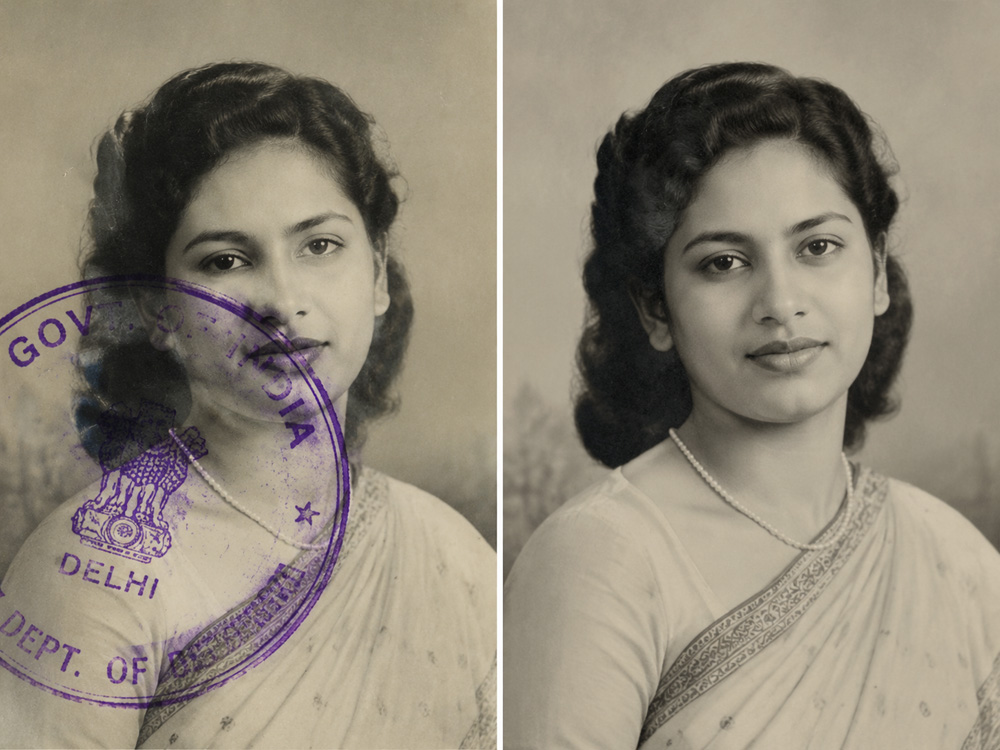
Stamp & Sample Removal
Before
After

Stamp & Sample Removal

Remove "SAMPLE", "DRAFT", or approval stamps from scanned documents. Makes digital archives look clean and professional.

Product Label Editing
Before
After

Product Label Editing

Clean up e-commerce product photos by removing supplier labels and brand tags. Ideal for minimalist lifestyle shoots.

Overlay Text Removal
Before
After

Overlay Text Removal

Strip bold graphic text from ads, social posts, or screenshots. The AI rebuilds the background with natural detail.

Pattern Watermark Removal
Before
After

Pattern Watermark Removal

Erase subtle or tiled watermarks that cover an entire image — common on stock photos. Fine detail reconstruction.

Digital Invitation Cleanup
Before
After

Digital Invitation Cleanup

Remove third-party watermarks or "Created with" logos from digital invitations and templates for clean prints.

A Smarter Way to Clean Images

Our AI-powered inpainting is more than just an eraser — it's an intelligent tool built for professional results.

AI-Powered Inpainting

Instead of blurring or cloning, our AI analyzes surrounding pixels and reconstructs the background naturally.

One-Click Simplicity

No complex tools or manual selection. Upload your image, describe what to remove, and get a clean result.

🎨Context-Aware Results

The AI maintains consistent style, grain, and color profile. The edited area blends seamlessly.

👥Built for Creators

Marketers clean UGC for campaigns. Photographers remove timestamps. E-commerce sellers prep product shots.

What is AI Watermark Remover?

A watermark remover is a tool that erases unwanted overlays from an image — logos, brand names, text stamps, or timestamps. Traditional methods like blurring or cloning often leave obvious artifacts.

Our free AI watermark remover uses advanced inpainting technology to analyze the surrounding pixels and intelligently reconstruct the erased area. The result looks natural — no blur, no clone stamp marks.

Upload your image, write a brief prompt describing what to remove, and get a clean, professional result in seconds — no design skills required.

How to Remove Watermarks in 4 Steps

01

Upload Your Image

Drag & drop a JPG, PNG, or WebP file — or click to browse. Max file size is 5MB.

02

Describe What to Remove

Type a brief prompt in the text box (e.g. "Remove the watermark from the lower right corner").

03

Click Remove Watermark

Hit the Remove Watermark button. Our AI analyzes your image and reconstructs the background.

04

Download Your Clean Image

Preview the result and hit Download. Your clean image is ready for use anywhere.

Frequently Asked Questions

Does removing a watermark affect image quality?
No. Our AI-powered inpainting reconstructs the background using surrounding pixels, preserving original quality. Unlike blur or clone tools, there are no obvious artifacts.
What types of watermarks can be removed?
Text overlays, logos, "SAMPLE" stamps, timestamps, brand labels, pattern watermarks, and most other unwanted overlays on photos.
How does the credit system work?
Each watermark removal uses 1 credit from your account. Sign in to check your balance.
What image formats are supported?
JPEG, PNG, and WebP formats are supported. The maximum file size is 5MB per image, in line with Vercel hosting limits.