AI Background Changer Online Free

Replace photo backgrounds instantly with AI. Create studio portraits, transparent backgrounds, product photos, and creative visuals in seconds.

Upload Your Image

Drag & drop or click to browse

JPEG, PNG, WEBP — max 5MB

You may only upload materials for which you have all necessary rights and permissions. Content involving minors or non-consensual content is strictly prohibited.
See What Our Background Changer Can Do

From portraits to product shots — place any subject into the perfect scene with one simple text prompt.

Portraits: From Studio Wall to Dream Destination

Portraits: From Studio Wall to Dream Destination

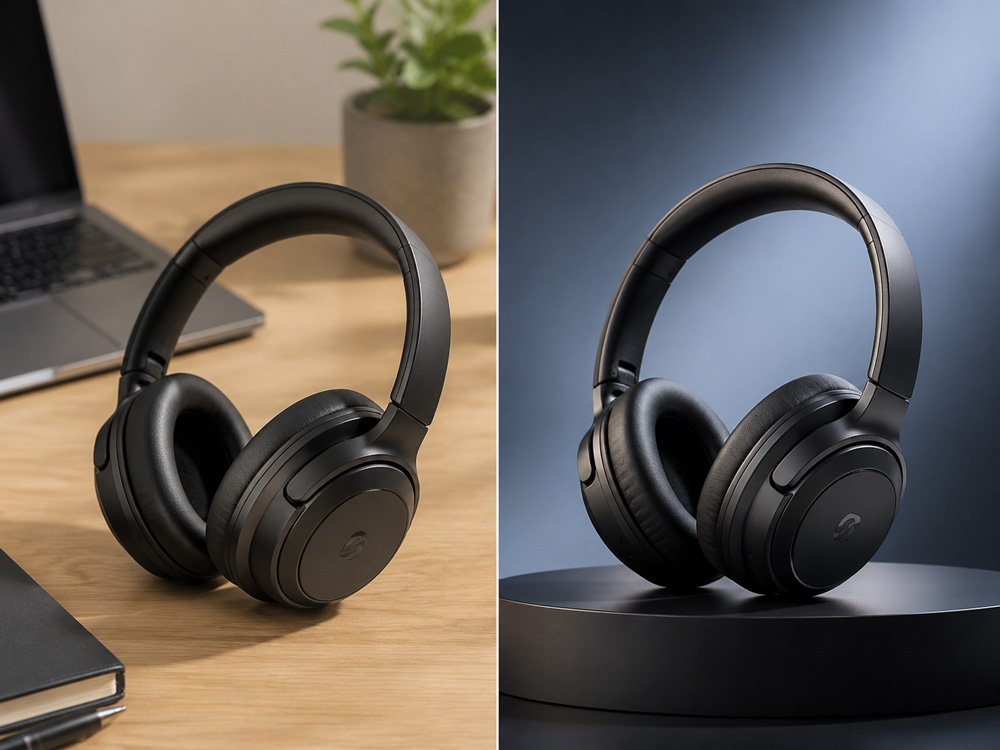
Turn a plain grey studio portrait into a sunlit Tuscany hillside, a moody city rooftop at dusk, or a serene beach at golden hour. The AI preserves skin tone, hair detail, and facial lighting while placing your subject naturally into the new scene.

E-Commerce: Plain Wall to Lifestyle Setting

E-Commerce: Plain Wall to Lifestyle Setting

Replace a boring white wall or cluttered background with a lifestyle scene — a marble kitchen counter, a lush garden, or a minimalist Scandinavian interior. Create compelling product imagery that sells without expensive studio costs.

Travel Photos: Swap Out Unwanted Backgrounds

Travel Photos: Swap Out Unwanted Backgrounds

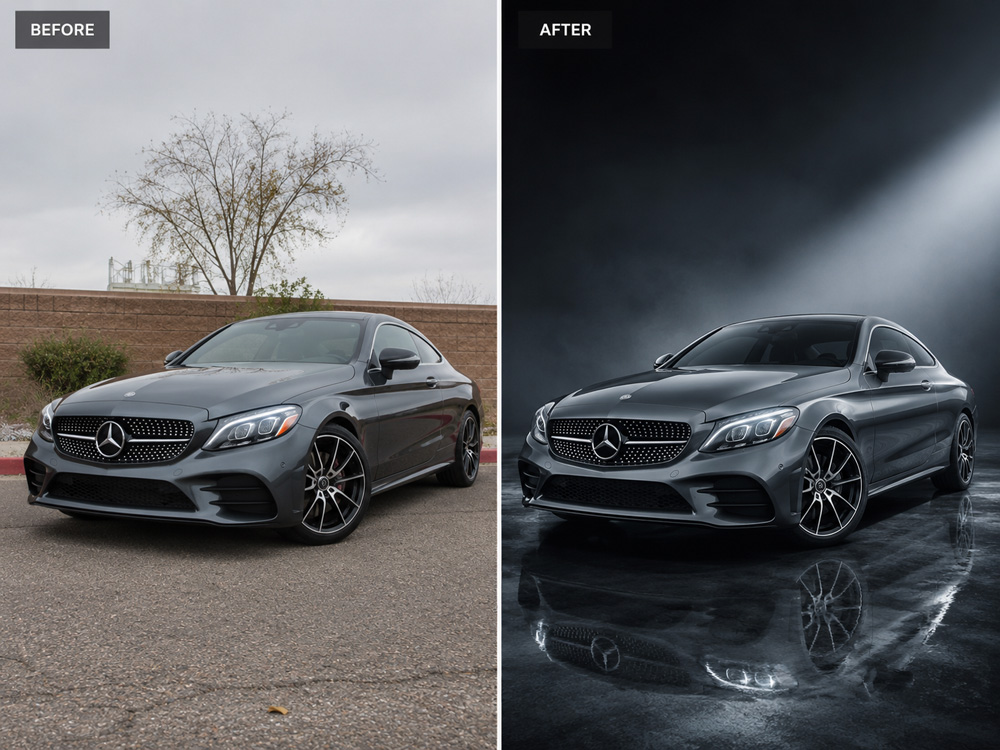
Remove photobombers, distracting signage, or boring skies from travel photos. Replace a flat overcast sky with a dramatic sunset, or transplant yourself from a crowded tourist spot to an empty paradise beach.

Fashion & Portraits: Cinematic Backgrounds On Demand

Fashion & Portraits: Cinematic Backgrounds On Demand

Give fashion shots and portraits a cinematic upgrade — from a rainy Tokyo alley to a sun-faded French café terrace. The AI matches subject lighting, depth of field, and color grade to make the composite look like it was shot on location.

E-Commerce: From Complex Backgrounds to Clean White

E-Commerce: From Complex Backgrounds to Clean White

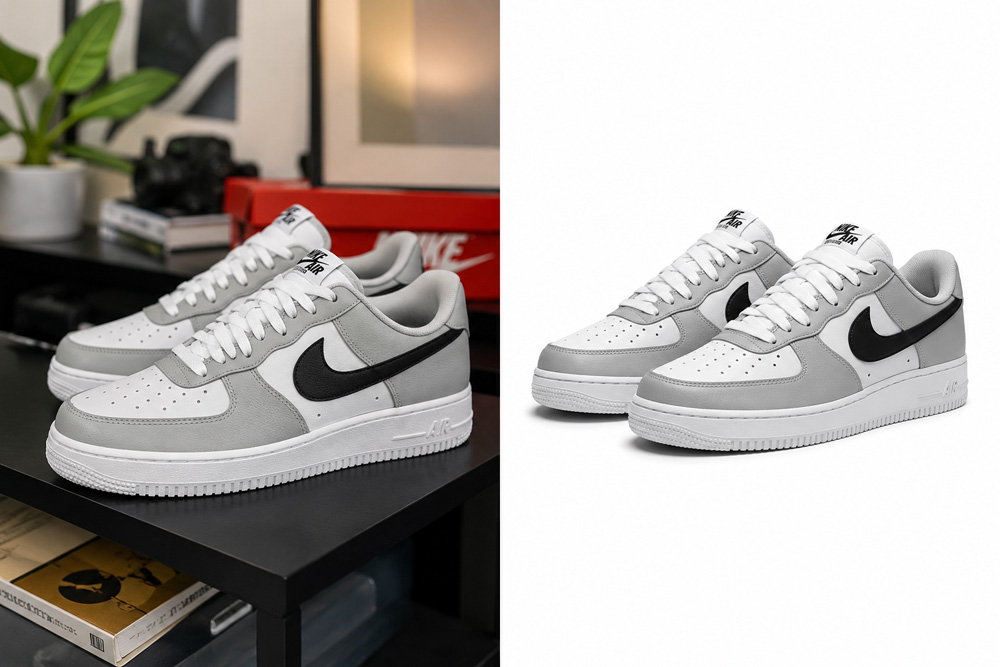
Transform product photos with busy, cluttered, or inconsistent backgrounds into clean, pure white backgrounds — perfect for Amazon, eBay, Shopify, or any online store listing. Give your entire product catalog a uniform, professional look in minutes.

Why Our AI Background Changer Stands Out

Most background tools leave blurry edges and unnatural lighting. Our AI analyzes your subject and reconstructs the scene with photorealistic accuracy.

🎨Match Any Scene

From beach sunsets to city skylines — type your desired background and our AI places your subject naturally with correct lighting, shadows, and depth.

Instant Background Swap

Replace distracting backgrounds in seconds. No Photoshop skills needed — upload your photo, describe your scene, and get a professional result.

🔍Edge-Perfect Isolation

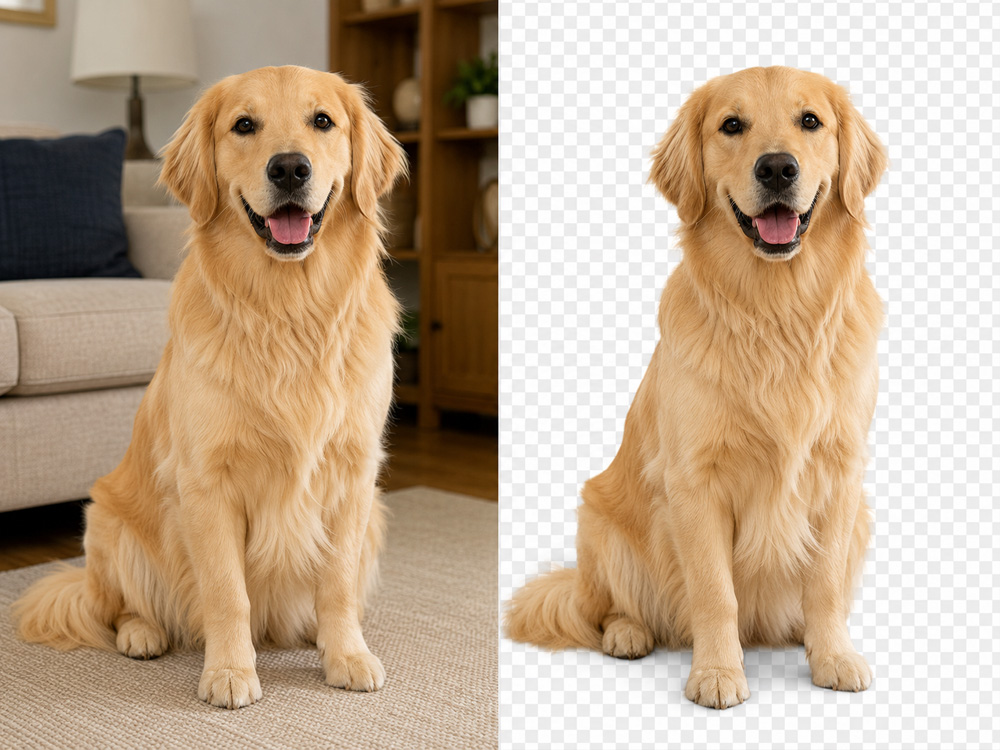
Advanced AI detects subject edges with pixel-level precision. Hair strands, transparent objects, and fine details are preserved without halo artifacts.

📸Professional Product Photography

E-commerce sellers swap plain walls for lifestyle settings instantly. Create consistent, branded product imagery without expensive studio shoots.

How to Change an Image Background in 4 Steps

01

Upload Your Photo

Drag & drop or click to select a JPG, PNG, or WebP image — up to 5MB. Works best with portrait or product photos against a plain background.

02

Describe Your New Background

Type your desired scene in the text box. Be specific for best results — e.g. "Paris rooftop cafe at dusk with string lights" or "Misty mountain forest with soft bokeh".

03

Click Change Background

Our AI isolates your subject and places it into your described scene, matching lighting, perspective, and shadows naturally.

04

Download Your Result

Preview the new background and hit Download. Get a clean, high-quality image ready for portfolios, social media, or product listings.

Frequently Asked Questions

What types of images work best?
Photos with a clear subject against a relatively simple background (solid color, sky, or wall) produce the best results. Portraits, product shots, and full-body photos all work well.
Can I use any text prompt for the new background?
Yes. Our AI generates the background based on your description. Be as specific or creative as you like — from "cozy coffee shop interior" to "Northern Lights over a frozen lake".
Does changing the background affect image quality?
No. Your original subject is preserved at full resolution. The new background is rendered at the same quality level, producing a consistent, high-definition result.
How many credits does each background change use?
Each background change uses 1 credit from your account balance. You can monitor your credit usage in your profile under the Credits section.