Remove Backgrounds from Images with AI

Upload your photo and remove backgrounds automatically with AI-powered editing — fast, accurate, and free online.

Upload Your Image

Drag & drop or click to browse

JPEG, PNG, WEBP — max 5MB

See What Our Background Remover Can Do

Remove any background from your photos with precision. Extract clean subjects for e-commerce, portraits, and product photography.

Portraits: Clean Cutouts for Professional Use

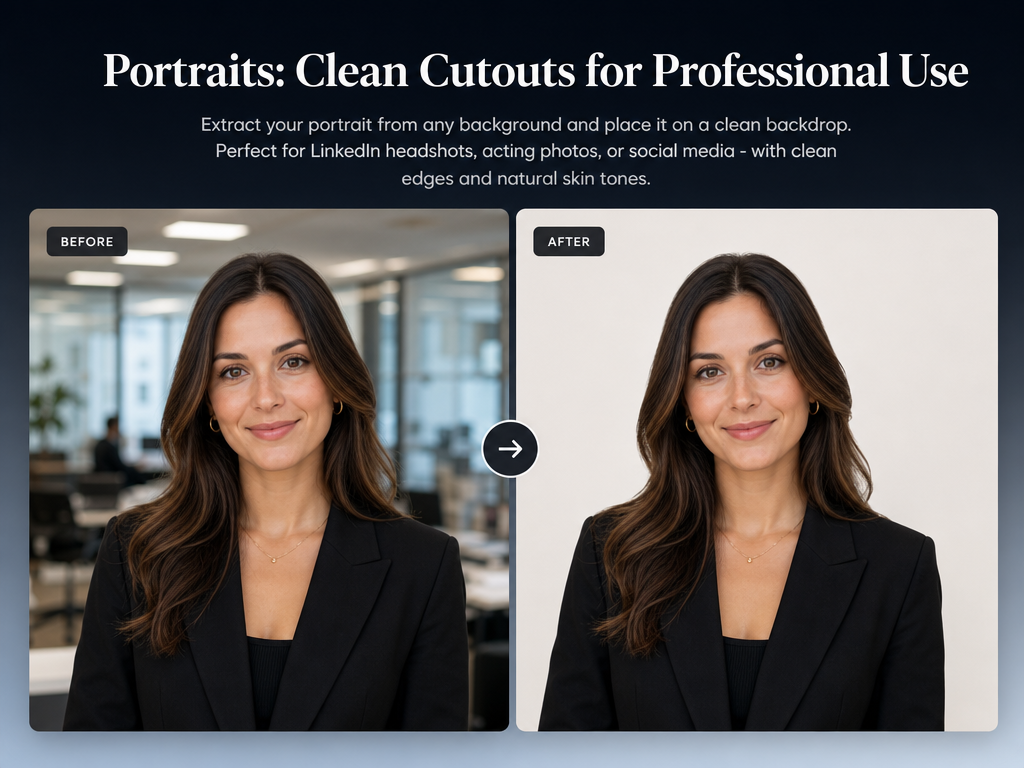
Portraits: Clean Cutouts for Professional Use

Extract your portrait from any background and place it on a clean backdrop. Perfect for LinkedIn headshots, acting photos, or social media — with clean edges and natural skin tones.

E-Commerce: Pure White Backgrounds for Products

E-Commerce: Pure White Backgrounds for Products

Remove the background from any product photo and replace it with pure white, transparent, or any solid color. Ideal for Amazon, eBay, Shopify, and e-commerce listings — no studio needed.

Travel Photos: Remove Distracting Elements

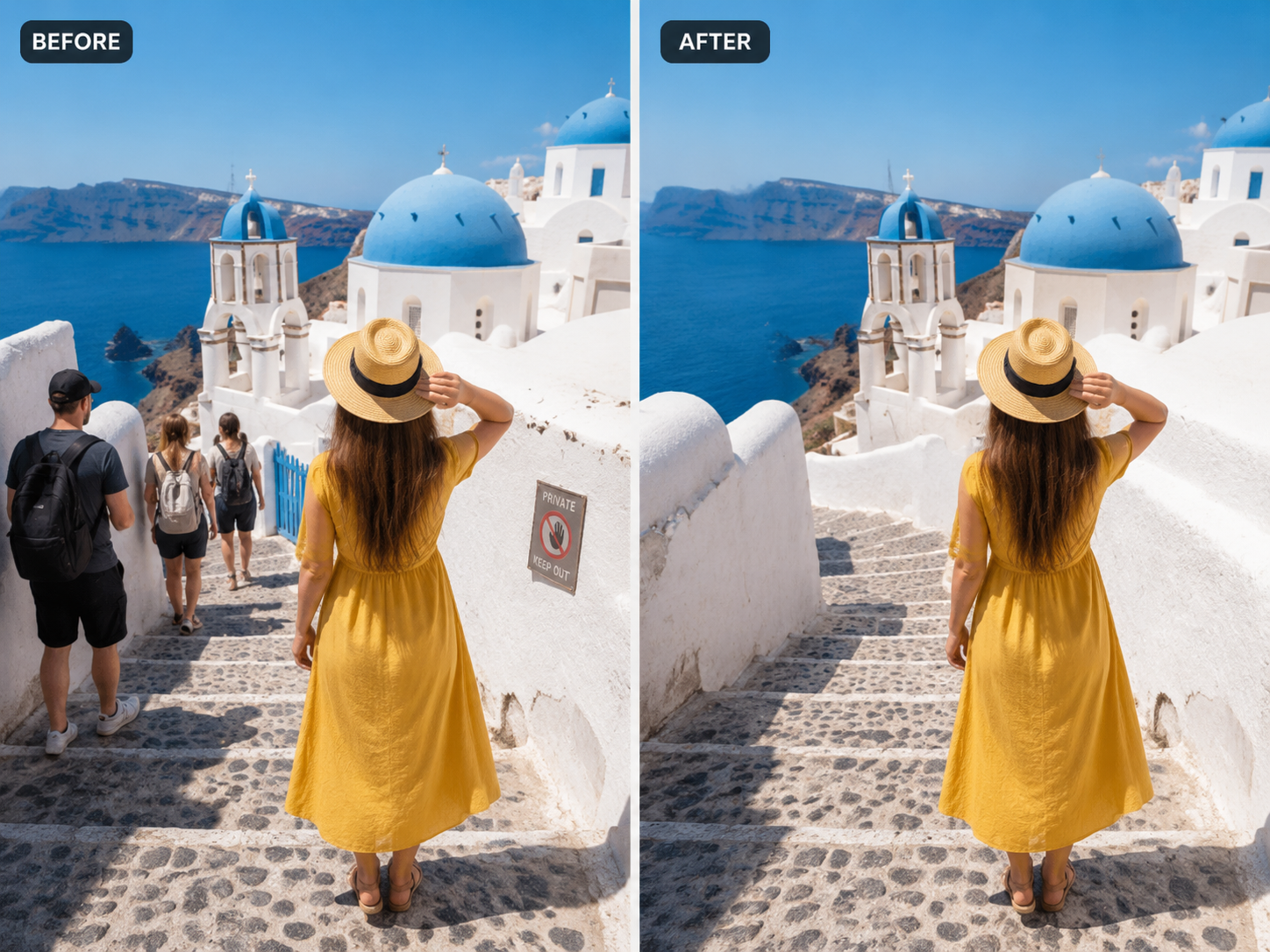
Travel Photos: Remove Distracting Elements

Remove photobombers, signage, or clutter from travel photos. Our AI fills the removed areas with contextually accurate content — matching lighting, texture, and color.

Complex Subjects: Hair, Fur, and Translucent Objects

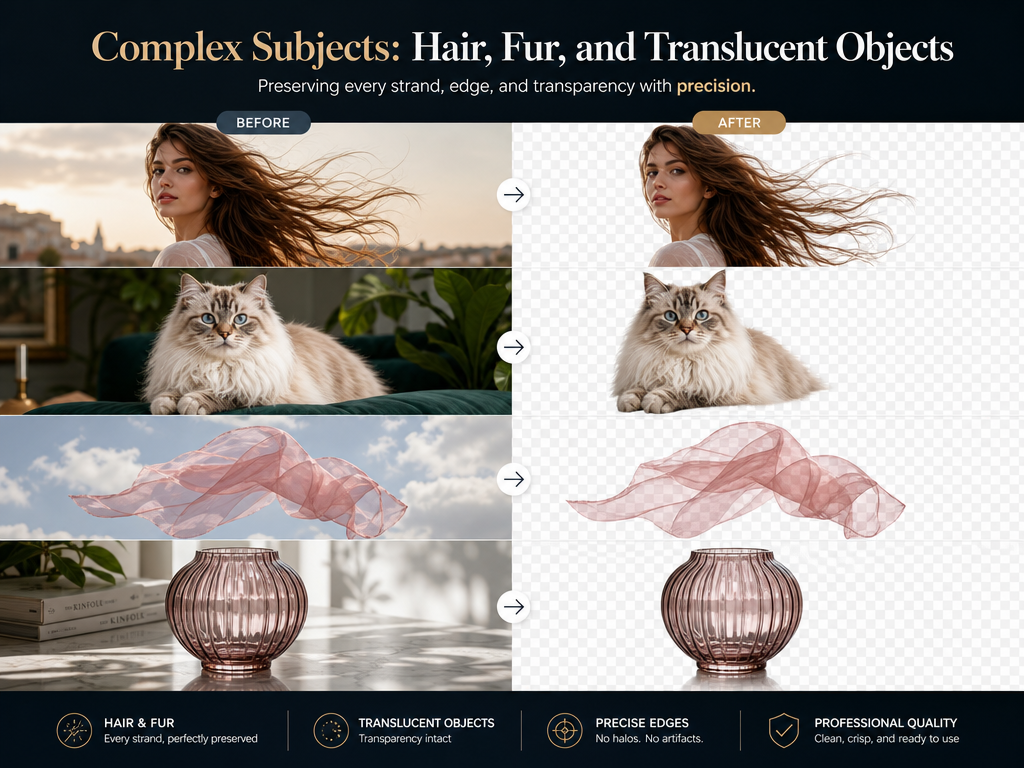
Complex Subjects: Hair, Fur, and Translucent Objects

Remove backgrounds from images with fine details — animal fur, wispy hair, sheer fabrics, or translucent objects. Our AI preserves every strand and edge with precision.

One-Click Background Removal for Any Image

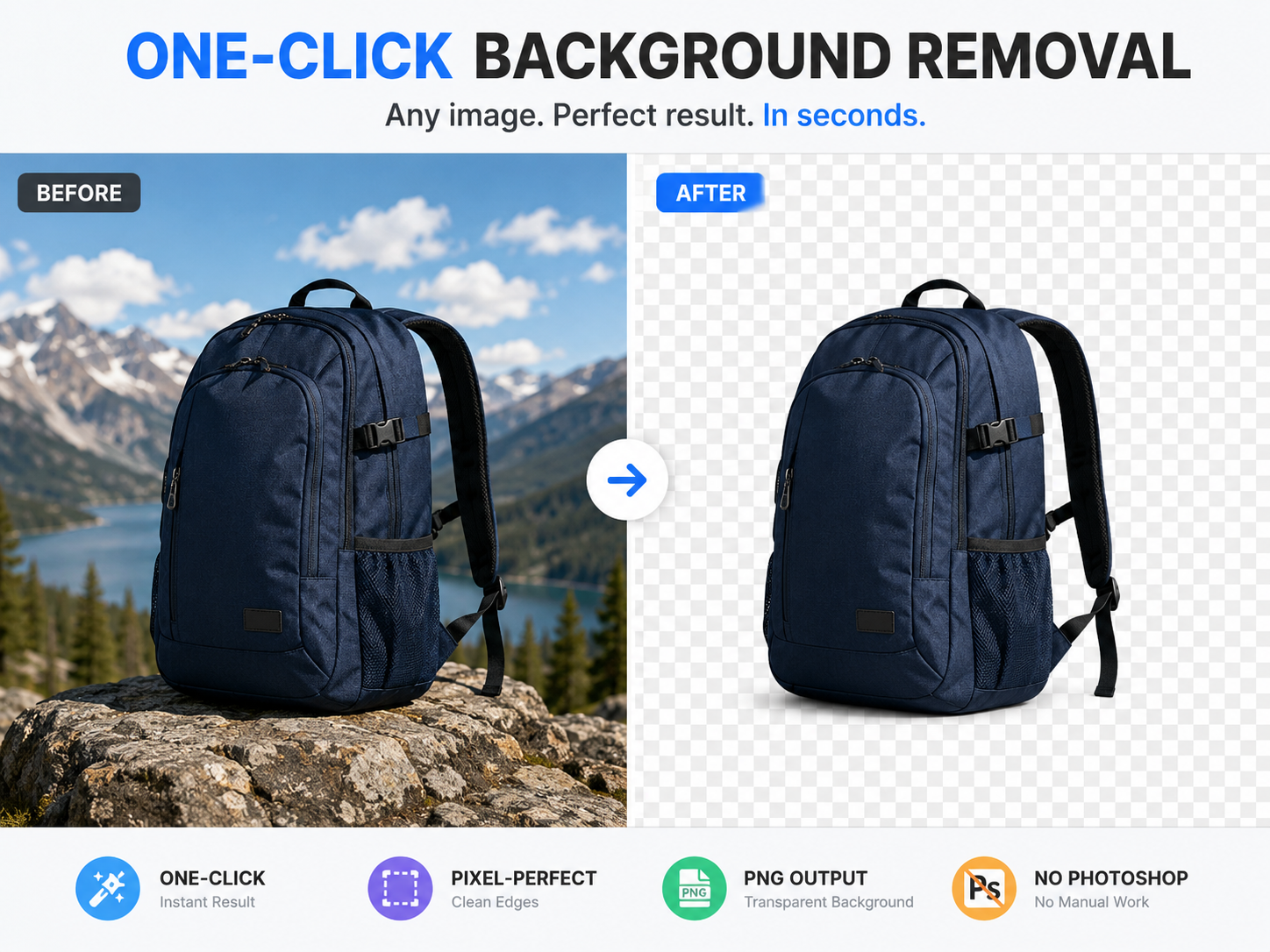
One-Click Background Removal for Any Image

Upload any image — portrait, product, or complex scene — and get a pixel-perfect transparent or solid-color background in seconds. No manual selection, no Photoshop required.

Why Our AI Background Remover Stands Out

Most background removers leave jagged edges or fuzzy hairlines. Our AI delivers pixel-perfect cutouts with clean contours — even on complex subjects.

🎨Match Any Scene

From beach sunsets to city skylines — type your desired background and our AI places your subject naturally with correct lighting, shadows, and depth.

Instant Background Swap

Replace distracting backgrounds in seconds. No Photoshop skills needed — upload your photo, describe your scene, and get a professional result.

🔍Edge-Perfect Isolation

Advanced AI detects subject edges with pixel-level precision. Hair strands, transparent objects, and fine details are preserved without halo artifacts.

📸Professional Product Photography

E-commerce sellers swap plain walls for lifestyle settings instantly. Create consistent, branded product imagery without expensive studio shoots.

How to Remove an Image Background in 4 Steps

01

Upload Your Image

Drag & drop or click to select a JPG, PNG, or WebP image — up to 5MB. Works best with portrait or product photos.

02

AI Detects the Subject

Our AI automatically detects the subject in your image — whether it is a person, product, or object — and identifies the background to remove.

03

Remove the Background Instantly

With one click, the background is cleanly removed. Fine details like hair strands and object edges are preserved with precision.

04

Download Transparent PNG

Preview the result and download as a transparent PNG — ready for e-commerce listings, profile pictures, or any creative project.

Frequently Asked Questions

Is this AI background remover free?
Yes, you can remove image backgrounds online for free. Upload your photo and get a transparent PNG result in seconds.
Does it support transparent PNG downloads?
Yes, transparent PNG export is fully supported. Download your cutout with a clean alpha channel — no background.
Can I remove backgrounds from product photos?
Yes, it works great for ecommerce and product photography. Remove backgrounds from any product image and get a clean cutout ready for Amazon, Shopify, or eBay listings.
What types of images work best?
Photos with a clear subject against a relatively simple background (solid color, sky, or wall) produce the best results. Portraits, product shots, and full-body photos all work well.
How many credits does each background removal use?
Each background removal uses 1 credit from your account balance. Monitor your credit usage anytime in your profile under the Credits section.