AI Multiple Face Swap for Group Photos: Practical Uses
Family photos, team shots, casting mock-ups, memes and photo fixes — where a multiple face swap actually saves time, and what each use case needs.
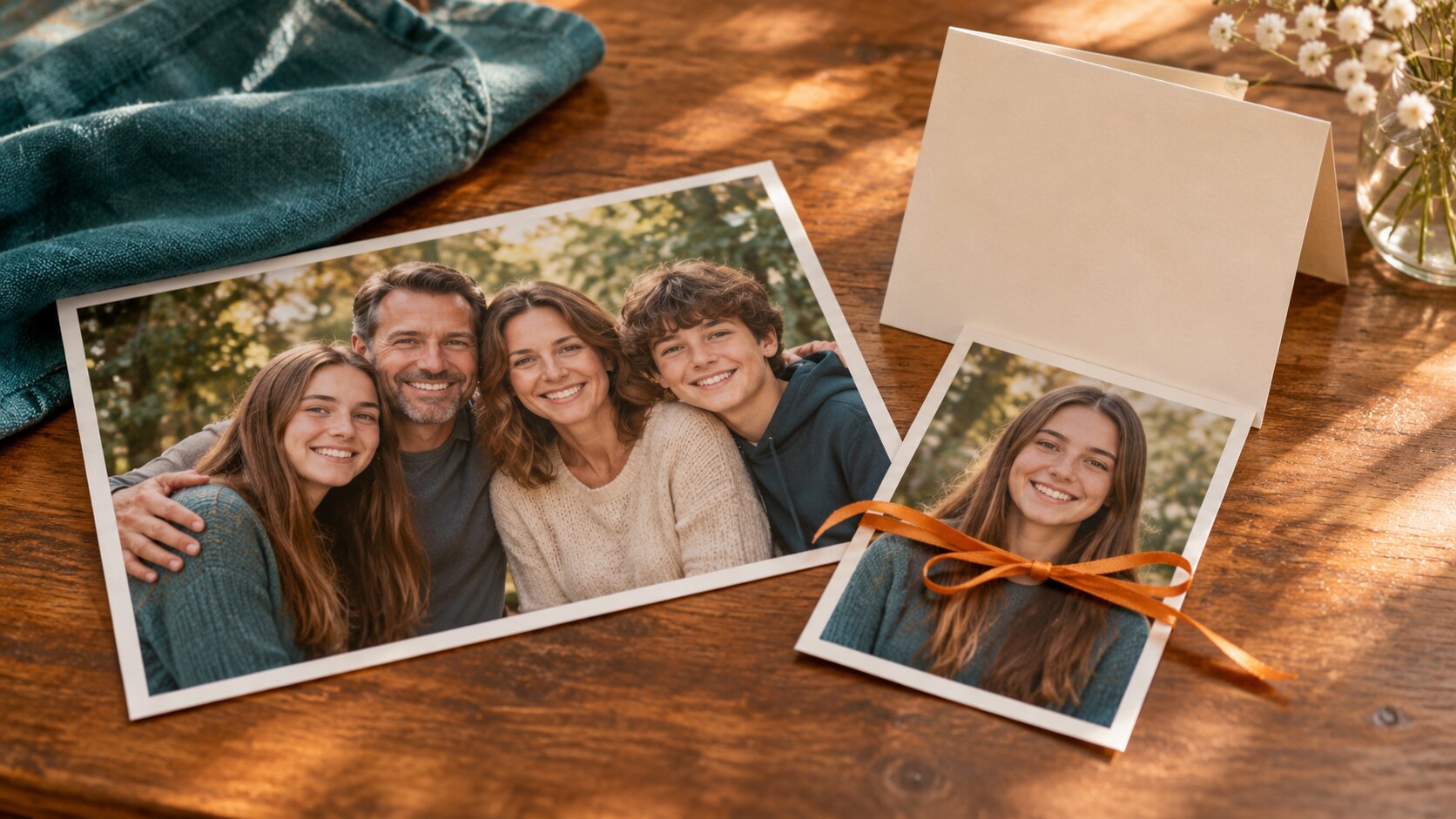
The most common real job for a multiple face swap is smaller than the marketing suggests. It is usually not "put six people into a photo they were never in" — it is "this family photo is perfect except one person blinked, and I would like them to be their sister instead". The scene stays exactly as it is and the faces change, which is what makes the tool practical for ordinary people with ordinary photos.
Here is where it earns its keep, and what each use case actually needs.
Use Case 1 — Fixing One Face in a Photo That Is Otherwise Perfect
The job: the framing is good, the light is good, one person is not right.
This is the highest-value use of the tool, because the multi-face version lets you change just that one face and leave the rest of the frame untouched. You upload the group photo and one replacement portrait; the other three people stay exactly as they were.
What it needs: the group photo should have consistent light across the faces. A photo taken at a dinner table with a warm lamp on one side and a window on the other is the hard case.
Why people do it: a group where one person was not present, a cousin who could not make it, a partner who is away travelling. It is also the fastest way to see how a restyled family photo would look before committing to a real shoot.
Use Case 2 — Holiday Cards and Prints
The job: the same family in a picture for a card, a wall frame, a calendar.
A family photo is the easiest subject in the world for this tool, because everyone was shot in the same room under the same light. The model has one consistent light model to match every replacement against, which is the hardest thing to fake.
What it needs: portraits that are front-facing and evenly lit. A Christmas-card portrait taken in front of a window is close to ideal.
Why people do it: it costs one render instead of a second session with a photographer, and the framing stays the same as the original picture you already love.
Use Case 3 — Team Photos and Work Placeholders
The job: a team photo for a website, a slide deck or a company page, where one or two people were absent.
What it needs: a corporate photo is usually lit with a softbox or a window, so the light is consistent and the model has an easy job. Framings are usually wide enough that each face is large enough to detect.
Why people do it: it fills a real business gap — an internal document that needs a complete team, a mock-up that has to show the whole group, a proposal that has to look finished today.
For a whole product shoot from scratch rather than a face replacement, Try it freeAI Photoshoot GeneratorTurn a single product photo into a full photo set. is the better fit.
Use Case 4 — Casting and Concept Mock-Ups
The job: showing what a scene would look like with a different cast, or with a face nobody has cast yet.
What it needs: a production still or a concept frame with the framing already decided, plus one clean portrait per character.
Why people do it: it is the cheapest way to test a casting idea. A writer can put a specific face into a specific frame and show a producer what the shot reads as, before anyone books a day of shooting.
Use Case 5 — The Deliberately Silly Group Meme
The job: putting four celebrity faces into a photo of your friends, or your friends into a film still.
What it needs: the group photo has to be a decent photo to begin with. A blurry picture with four swapped faces on top is funnier in the sense that it is more absurd, but it never looks as good as a clean one.
Why people do it: because it is the fastest possible group edit, and because the shared light model means the four swapped faces look like they were all at the same party. That single detail is what makes the joke land.
Use Case 6 — Restoring and Repairing Old Group Photos
The job: a scanned family photo where one face is damaged, or where someone was scratched out, or the print is too faded to use.
What it needs: a clean reference portrait of the person whose face needs replacing. The rest of the photo — the grain, the fade, the age of the print — stays untouched, which is exactly what you want in a restoration.
Why people do it: repairing one face in an old print is far more achievable than restoring the whole photograph, and the tool handles it in one render. For broader restoration work, Try it freeAI Photo RestorationRestore scratched, faded, or damaged old photos. covers the scratches and fading across the whole frame.
What Every Use Case Has In Common
| Requirement | Why it matters |
|---|---|
| Faces separated in the frame | Overlapping faces cannot be detected or ordered reliably |
| Consistent light across the group | One shared light model is what makes the result look like a photograph |
| Front-facing replacement portraits | A profile shot has to be invented from scratch and rarely survives |
| The group photo left unmodified | You often want to try several versions from the same source |
| Everyone in the picture agreeing | Consent is what separates a joke from a problem |
Where It Does Not Help
Being straight about the limits is more useful than another success story.
- Blurry source photos. A low-quality group photo stays low quality — the tool re-renders the faces, it does not re-sharpen the whole picture.
- Profiles and strong side angles. A face turned 70° away has to be largely invented.
- People standing very close together. Overlapping faces break the ordering.
- A group of ten. Four is the practical limit for a single render, because each extra face adds another detection and another encode.
- Anything deceptive. The tool will happily do it. That is not permission.
Frequently Asked Questions
What can AI Multiple Face Swap actually be used for?
Replacing one or two faces in an existing group photo, putting a whole group into a picture that was taken without them, building casting mock-ups, making family holiday cards, and producing the deliberately silly group meme. The common thread is that the scene stays and the faces change.
Can I replace just one person in a group photo?
Yes. Upload the group photo and only the replacement face for the person you want to change — the others are left exactly as they were. That is often the most practical use of a multi-face tool, because most group photos only have one face that needs fixing.
Why do family photos work so well with this tool?
Because everyone in a family photo was shot in the same room under the same light, so the model has one consistent light model to match every replacement face against. Photos taken in mixed lighting are much harder.
How do I put people into a group photo they were not in?
Use the group photo as the anchor and upload a separate portrait for each person who is missing. They are applied left to right, so line up your replacement photos with the empty seats in the picture.
Can I use AI multiple face swap for a casting mock-up?
Yes — upload a production still with the actors in place and swap in the faces of the people you are considering. It is a fast way to see a different cast in the same frame before anyone commits to a shoot.
Is it OK to make a funny group photo of friends?
Yes, when the people in the photo know and agree to it, and the result stays clearly a joke. The line is crossed when the image misrepresents someone or is used without their consent.
The Short Version
Group photos are the natural home for a multiple face swap, because a group photo is already a photograph with several people under one light — which is precisely the condition a shared light model needs. Whether you are fixing one face, building a holiday card, completing a team shot or casting a scene, the workflow is the same: one group photo, one portrait per face you are changing, one render.
Try it freeAI Multiple Face SwapReplace up to eight faces in one group photo in a single run.Want a workflow question answered? Get in touch — we read every message.
Try these tools
Try it freeAI Multiple Face SwapReplace up to eight faces in one group photo in a single run.Try it freeAI Face SwapSwap faces between two photos with realistic results.Try it freeAI Photoshoot GeneratorTurn a single product photo into a full photo set.Try it freeAI Image EditorTransform a single photo with a text prompt — restyle, re-light, re-imagine.Sources
- InsightFace — Open-source face analysis toolkit — Reference for the detection, alignment and recognition stages that decide which group photos can be swapped reliably.
- MIT Media Lab — DeepFake detection research — Reference for the visual tells that make a swapped group photo read as synthetic.
- U.S. Federal Trade Commission — AI-generated content and impersonation guidance — Reference for consent and disclosure expectations when publishing photos with swapped faces.