1980s AI Photo Generator: Recreate the AI 80s Photo Trend (2026)
Looking for a 1980s AI photo generator? Learn how the viral AI 80s photo trend works, the best free tools in 2026, and how to nail the retro look in seconds.
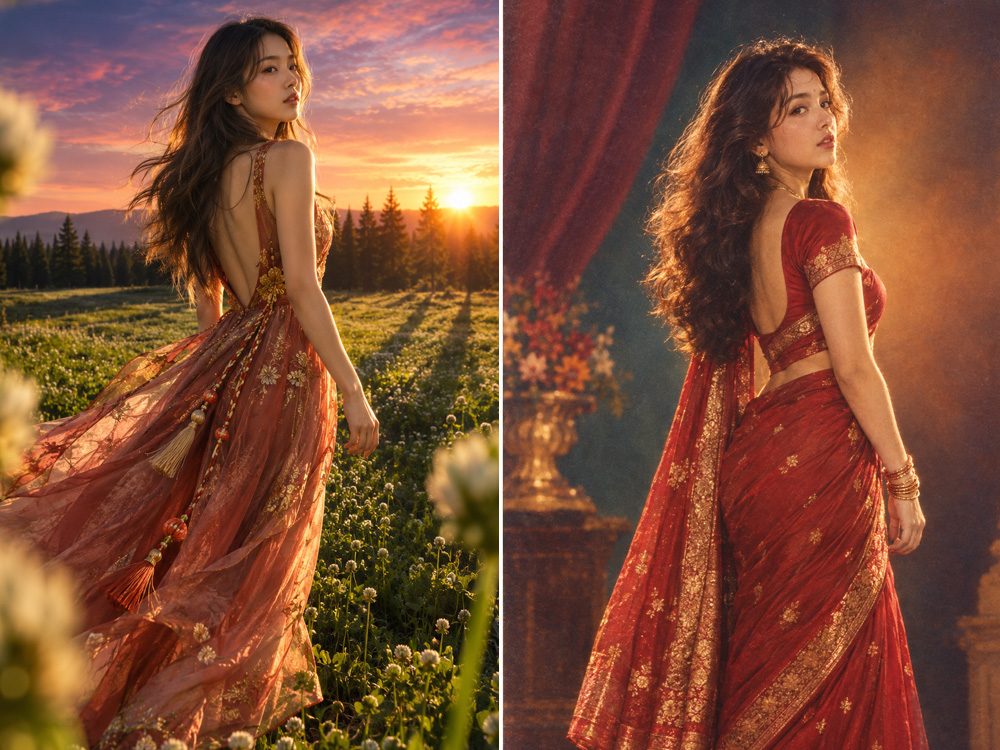
title: '1980s AI Photo Generator: Recreate the AI 80s Photo Trend (2026)' slug: '1980s-ai-photo-generator' description: "Looking for a 1980s AI photo generator? Learn how the viral AI 80s photo trend works, the best free tools in 2026, and how to nail the retro look in seconds." primaryKeyword: '1980s ai photo generator' secondaryKeywords:
- 'AI 80s photo generator'
- '1980s ai photo trend'
- 'ai 80s trend'
- '80s ai filter'
- 'ai 1980s photo'
- 'retro 80s photo ai'
- '80s yearbook ai'
- '80s mall portrait ai' category: 'tutorials' contentType: 'how-to' tags:
- '1980s'
- 'ai-trend'
- 'retro-photo'
- 'ai-portrait'
- 'tutorial' author: 'DreamPixel AI Team' authorBio: "DreamPixel AI's image team builds free AI tools used by 50,000+ creators every month." publishedAt: '2026-10-12T09:00:00.000Z' updatedAt: '2026-10-12T09:00:00.000Z' lastReviewed: '2026-10-12T09:00:00.000Z' coverImage: '/images/how-to-make-80s-trend-photo.jpg' coverAlt: 'How to make the 80s trend photo: a side-by-side of a modern portrait and its 1980s AI-rendered version with vintage fashion, big hair, and retro color grading.' relatedTools:
- '1980s-ai-photo-trend-maker'
- 'ai-image-editor'
- 'ai-merge-composite'
- 'ai-face-swap' keyTakeaways:
- 'A 1980s AI photo generator is a diffusion model trained to re-render modern portraits with retro 80s color grading — neon highlights, magenta-cyan split tones, soft halation, and vintage film grain.'
- 'The viral AI 80s photo trend works because it pairs a clear modern portrait with a stylized retro render and posts them side-by-side, usually with a synthwave track and a dated caption.'
- 'In 2026 the best 1980s AI photo generators are browser-based, free with daily credits, and return a retro portrait in 10–30 seconds at 1K–2K resolution.'
- 'For the most authentic result, upload a clear, front-facing or 3/4-angle portrait with even lighting and avoid occlusions like sunglasses, hands, or hats.'
- 'Free tiers typically cap at 1024–2048px and 5–20 generations per day; paid tiers raise the resolution, add 4K output, and unlock batch processing.' faq:
- question: 'What is a 1980s AI photo generator?' answer: 'A 1980s AI photo generator is a generative model that takes a modern portrait and re-renders it with retro 80s aesthetics — neon highlights, magenta-cyan split tones, soft halation glow, vintage film grain, and the warm-cool color split that defined the decade. Most run in a browser and return a stylized portrait in 10–30 seconds.'
- question: 'How does the AI 80s photo trend work?' answer: 'The AI 80s photo trend is a side-by-side format: a modern portrait on one side, an AI-rendered retro 80s version on the other, usually paired with a synthwave or new-wave track and a caption like "1985 vs 2025." The retro look comes from a diffusion model conditioned on a 1980s prompt — neon, halation, film grain, warm-cool color split.'
- question: 'Is there a free 1980s AI photo generator?' answer: 'Yes. Several AI 80s photo generators — including DreamPixel AI — let you upload a portrait and get a retro 80s render for free with a daily credit allowance. Paid plans raise the resolution cap, remove queue time, and add 4K output.'
- question: 'What kind of photo works best for the 1980s photo trend?' answer: 'Clear, well-lit portraits work best — front-facing or a slight 3/4 angle, eyes visible, no sunglasses or hats, no heavy shadows, and a relatively clean background. Tight headshots and shoulder-up framing give the most authentic 80s mall-portrait result.'
- question: 'Can I generate 1980s AI photos without uploading my face?' answer: 'Yes. Use a public-domain or stock portrait as the source image, or a friend''s photo with their permission. For full anonymity, render a stylized 80s scene without a person in it (a mall, a sunset, a synthwave cityscape) using a generic image to image AI editor.'
- question: 'How long does it take to generate a retro 80s photo?' answer: 'A modern 1980s AI photo generator returns a result in 10–30 seconds at 1K resolution. Higher resolution (2K, 4K) and multi-image generations take 30 seconds to 2 minutes. Most tools show a live progress bar so you know exactly when the result is ready.'
- question: 'Can I use AI 80s photos commercially?' answer: 'On DreamPixel AI, yes — outputs from free generations can be used in ads, social campaigns, and client work. Always double-check the license of any third-party AI 80s photo generator before commercial use; some reserve rights to your outputs.'
- question: 'What 80s sub-styles can I generate?' answer: 'The most common 80s sub-styles are: mall glamour (soft beauty lighting, big hair, pastel backdrop), yearbook soft-focus (warm Kodak gold tones, gentle retouch), sunset synthwave (magenta-cyan gradient sky, palm trees, neon grid), and neon arcade (cool blue and pink neon highlights, smoky atmosphere, film grain).' citedSources:
- name: 'Adobe — The History of Film Color Grading' url: 'https://www.adobe.com/creativecloud/video/hub/film-color-grading.html' note: 'Reference for the 1980s color grading techniques — split tones, halation, and warm-cool color palettes — that define the AI 80s photo trend.'
- name: 'Stability AI — Diffusion Model Documentation' url: 'https://stability.ai/research' note: 'Reference for how modern diffusion-based image generators encode a source photo and decode a stylized version conditioned on a text prompt like "1980s retro portrait."'
- name: 'MIT Media Lab — AI-Generated Visual Content Research' url: 'https://www.media.mit.edu/' note: 'Reference for the visual research behind modern style-transfer and aesthetic-conditioning models that power 1980s AI photo generators.' draft: false featured: true
A 1980s AI photo generator is a generative model that takes a modern portrait and re-renders it with retro 80s aesthetics — neon highlights, magenta-cyan split tones, soft halation glow, vintage film grain, and the warm-cool color split that defined the decade. In 2026 it's the engine behind the viral AI 80s photo trend that flooded TikTok, Instagram Reels, and YouTube Shorts with side-by-side "1985 vs 2025" portraits.
This guide explains exactly how the trend works, what the best 1980s AI photo generators are, and how to nail the retro look in seconds using
What is a 1980s AI photo generator?
A 1980s AI photo generator is a class of generative models that take a modern portrait and a text prompt describing a retro 80s aesthetic, and return a new image styled to match — preserving the subject's identity while applying the lighting, color grading, and texture that defined 1980s portrait photography.
The term covers three common jobs:
- Retro portrait re-render — turn a modern selfie into a 1985 mall glamour, yearbook soft-focus, or sunset synthwave portrait.
- Trend-ready side-by-side — generate the retro version of a portrait and post it next to the original for the viral TikTok format.
- Aesthetic style transfer — apply 80s color grading, halation, and film grain to any photo (not just portraits) for a mood-board or social-post look.
All three jobs run on the same underlying technology — a diffusion model conditioned on both an image and a text prompt — but each is exposed by a different kind of tool.
Why is the AI 80s photo trend going viral?
The AI 80s photo trend combines three things that always travel well on social:
- A clear before / after. A modern portrait on one side, a retro 80s render on the other. The contrast is instantly readable.
- A recognizable aesthetic. Neon highlights, magenta-cyan gradients, halation glow, and film grain are visual shorthand for "1980s" — no caption needed.
- A short, clean format. TikTok, Reels, and Shorts all reward 10–25 second videos with a strong visual hook. A side-by-side portrait swap hits the format perfectly.
The result: millions of side-by-side posts under hashtags like #80sphotottrend, #aigenerated, and #80saesthetic, with creators using everything from sun-soaked mall glamour to neon-drenched synthwave cityscapes.
How does a 1980s AI photo generator actually work?
The process looks like this under the hood:
- Upload your source portrait. JPG, PNG, or WebP up to ~4.5 MB. A clear, front-facing headshot gives the best result.
- The model encodes the photo into a latent representation — a compressed map of the image's structure, edges, and identity features.
- An 80s prompt is mixed into that encoding via cross-attention, steering the decode toward neon highlights, halation, film grain, and the warm-cool color split.
- A new image is decoded from the modified latent. Output is typically 1024×1024 to 2048×2048px, returned in 10–30 seconds on a modern GPU.
- The result is post-processed — color-matched, edge-blended, and grain-applied — to feel like a real film scan rather than a digital filter.
Free tiers of 1980s AI photo generators usually limit daily credits and resolution; paid tiers raise both and add batch processing.
What 80s sub-styles can I generate?
The "1980s" look is actually a family of sub-styles. Pick the one that fits the mood:
Mall glamour
Soft beauty lighting, pastel backdrop, big hair, glossy lips. Think prom photo, music video still, or Polaroid yearbook. The most accessible and flattering sub-style for portraits.
Yearbook soft-focus
Warm Kodak gold tones, gentle retouch, slight bloom around the edges. The look of a 1985 high-school yearbook — soft, golden, slightly hazy.
Sunset synthwave
Magenta-cyan gradient sky, palm tree silhouettes, neon grid receding into the distance, chrome highlights on the subject. The look of a 1980s sci-fi movie poster or a John Carpenter film.
Neon arcade
Cool blue and pink neon highlights, smoky atmosphere, chunky film grain. The look of an 80s arcade, a downtown Tokyo street at night, or a Blade Runner alley.
Polaroid instant
Slightly soft focus, white border, faded yellow-orange cast, lifted blacks. The look of a Polaroid SX-70 or a Kodak instant print from 1984.
A good 1980s AI photo generator lets you switch between these sub-styles with a single prompt or preset selector.
Best free 1980s AI photo generators in 2026
| Tool | Sub-styles | Best for | Free tier limit | Strength |
|---|---|---|---|---|
| DreamPixel AI 1980s AI Photo Trend Maker | Mall glamour, yearbook, synthwave, neon arcade | Browser-based, identity-preserving, trend-ready side-by-side | Daily credits, 1K–2K output | 1–4 variations per run, optional style prompt |
| Epik AI | Yearbook, vintage | Casual 90s / 80s throwback portraits | Limited free, watermark on free tier | App-style UX, viral on TikTok |
| Remini | Soft retouch, color pop | Quick mobile retouch with 80s feel | Limited free, subscription after | Strong on face enhancement |
| Midjourney | All 80s sub-styles | Maximum visual quality, custom prompts | No free tier ($10/mo) | Best-in-class aesthetic, paid |
| Stable Diffusion (self-hosted) | All 80s sub-styles | Full control, no daily limits | Free if you run your own GPU | Open weights, extensible |
| Lensa AI | Soft retouch, magic avatars | One-tap stylized portraits | Limited free, subscription after | App-style UX, popular on social |
For most creators, DreamPixel AI's 1980s AI photo trend maker is the right starting point: browser-based, identity-preserving, sub-style presets, and built for the side-by-side trend format.
How to use a 1980s AI photo generator (step by step)
Step 1 — Open the 1980s AI Photo Trend Maker
Go to
Step 2 — Upload your portrait
Drag and drop a clear portrait. Best results come from:
- Eyes looking at or near the camera
- No sunglasses, hat, hand, or hair occluding the face
- Even lighting — no harsh shadows across the face
- Resolution 512px or larger on the face
- Tight headshot or shoulder-up framing (the trend works best on faces, not full body)
Step 3 — Pick an 80s sub-style
The default prompt is the classic mall glamour look. To switch sub-styles, edit the prompt or pick a preset:
- Mall glamour — "1980s retro portrait, soft beauty lighting, pastel backdrop, big hair, glossy lips, vintage film grain"
- Yearbook — "1985 high-school yearbook portrait, soft focus, warm Kodak gold tones, gentle bloom"
- Sunset synthwave — "1985 sci-fi movie poster, magenta-cyan gradient sky, palm trees, neon grid, chrome highlights"
- Neon arcade — "1985 downtown arcade, neon blue and pink highlights, smoky atmosphere, chunky film grain"
- Polaroid — "1984 Polaroid SX-70, soft focus, white border, faded yellow-orange cast, lifted blacks"
A blank prompt gives the most neutral retro look.
Step 4 — Pick output settings
Choose aspect ratio (4:5 portrait, 1:1 Insta square, 9:16 story) and resolution. For TikTok / Reels, 4:5 or 9:16 at 1K resolution is the sweet spot — fast to render, sharp on a phone screen.
Step 5 — Generate 1–4 variations
Run 2–4 outputs at once. The first output is rarely the keeper — variation lets you pick the one with the cleanest skin, the most natural lighting, and the most authentic 80s color grading.
Step 6 — Download and post side-by-side
Click any result to open it in the lightbox, download as PNG-24 (full quality) or JPG (smaller file), then post alongside the original in your favorite 9:16 / 1:1 / 4:5 format with a synthwave or new-wave track.
Style prompts for the most authentic 80s look
- "1980s retro portrait, soft beauty lighting, pastel pink backdrop, big hair, glossy lips, vintage Kodachrome film grain"
- "1985 high-school yearbook, warm Kodak gold tones, soft focus, gentle bloom, neutral expression"
- "1985 sci-fi movie poster, magenta-cyan gradient sky, palm tree silhouettes, neon grid, chrome highlights, vintage halation"
- "1985 downtown arcade, neon blue and pink highlights, smoky atmosphere, chunky 35mm film grain"
- "1984 Polaroid SX-70, soft focus, white border, faded yellow-orange cast, lifted blacks, instant print"
- "1985 Miami Vice, pastel suit, sunset over Ocean Drive, neon signage, vintage halation, magazine cover"
Tips for the most authentic 80s photo
- Source face should be front-facing, eyes visible, no occlusion. Sunglasses, hands, hats, and extreme angles all degrade identity preservation and make the retro render look uncanny.
- Match the source framing to the sub-style. Mall glamour and yearbook want a tight headshot; synthwave and neon arcade want a bit more environment to read.
- Use 1024px+ source photos. Below 1024px the model loses fine edge detail along the jaw and hairline.
- Generate in batches. Run 2–4 variations at once and pick the most natural. The first output is rarely the keeper.
- Avoid heavy backlight on the source. Strong backlight creates a halo around the original face that the model has to remove. Soft, even lighting gives the cleanest 80s result.
- Lean into the era's color palette. Magenta + cyan, hot pink + teal, neon orange + electric blue. These are the warm-cool color splits that define the look.
- Don't over-grain. Real 80s film grain is chunky but not noisy. If the output looks digital and crisp, ask for "heavy 35mm film grain" in a follow-up prompt.
Common mistakes that ruin the AI 80s photo trend
Mistake 1 — Source face is too small or low resolution
If the source face is under ~256px, the model can't extract a stable identity. Use a close-up portrait, not a group photo where the face is a small dot.
Mistake 2 — Heavy shadow on half the face
If half the source face is in deep shadow, the model has to invent the missing half. Re-shoot the source under even lighting, or pick a different source.
Mistake 3 — Skipping the variation step
A single generation often has subtle artifacts — slightly off color, slightly wrong expression, slightly pasted edges. Generating 2–4 variations lets you pick the one that looks natural.
Mistake 4 — Using a sub-style that doesn't fit the source
Sunset synthwave on a corporate headshot looks wrong. Mall glamour on a dramatic dark portrait looks wrong. Match the sub-style to the source mood and framing.
Mistake 5 — Posting without a side-by-side
The trend's virality comes from the before / after format. Posting only the retro render is a beautiful image, not a trend post. Always post the original alongside.
Privacy and commercial use
- Your own photos — always fine. Outputs are yours to use however you want.
- A friend's photo, with their permission — fine for personal or paid creative work. Don't post without consent.
- A celebrity's photo — restricted. Most platforms prohibit non-consensual celebrity edits. Parody and satire are usually protected, but consult a lawyer for commercial use.
- Anyone's photo in intimate, defamatory, or misleading content — don't do it. Illegal in most jurisdictions and explicitly forbidden by every reputable 1980s AI photo generator.
For commercial use, check the license of the tool you use. DreamPixel AI grants full commercial use of outputs from free generations.
When to upgrade from free to paid
Upgrade when you hit any of these:
- You're processing more than ~20 portraits a day. At that volume, paid per-image pricing is usually cheaper than lost time.
- You need 4K output for print or high-res display. Free tiers cap at 1K–2K; paid tiers unlock 4K.
- You need batch processing. Most free tools process one generation at a time.
- You need a custom sub-style. Paid tiers unlock custom prompt weight tuning and per-sub-style control.
1980s AI photo generator: quick answers
- Best free browser-based 1980s AI photo generator: DreamPixel AI 1980s AI Photo Trend Maker.
- Best mobile casual 80s throwback tool: Epik AI.
- Best self-hosted unlimited tool: Stable Diffusion with an 80s LoRA on your own GPU.
- Best paid maximum visual quality tool: Midjourney.
- Best sub-style coverage: DreamPixel AI (mall glamour, yearbook, synthwave, neon arcade, Polaroid).
Final thought
The 1980s AI photo trend is one of 2026's most accessible viral formats — a clear before / after, a recognizable aesthetic, and a 10–30 second render time. The right tool depends on the job: a one-click 1980s AI photo generator handles the trend format, a multi-input image to image AI editor handles composite variations, and anything beyond 20 portraits a day probably needs a paid plan. Start free, find the sub-style that fits your face, and post the side-by-side.
Try the
Want a workflow question answered? Get in touch — we read every message.
Try these tools
Frequently Asked Questions
What is a 1980s AI photo generator?
A 1980s AI photo generator is a generative model that takes a modern portrait and re-renders it with retro 80s aesthetics — neon highlights, magenta-cyan split tones, soft halation glow, vintage film grain, and the warm-cool color split that defined the decade. Most run in a browser and return a stylized portrait in 10–30 seconds.
How does the AI 80s photo trend work?
The AI 80s photo trend is a side-by-side format: a modern portrait on one side, an AI-rendered retro 80s version on the other, usually paired with a synthwave or new-wave track and a caption like "1985 vs 2025." The retro look comes from a diffusion model conditioned on a 1980s prompt — neon, halation, film grain, warm-cool color split.
Is there a free 1980s AI photo generator?
Yes. Several AI 80s photo generators — including DreamPixel AI — let you upload a portrait and get a retro 80s render for free with a daily credit allowance. Paid plans raise the resolution cap, remove queue time, and add 4K output.
What kind of photo works best for the 1980s photo trend?
Clear, well-lit portraits work best — front-facing or a slight 3/4 angle, eyes visible, no sunglasses or hats, no heavy shadows, and a relatively clean background. Tight headshots and shoulder-up framing give the most authentic 80s mall-portrait result.
Can I generate 1980s AI photos without uploading my face?
Yes. Use a public-domain or stock portrait as the source image, or a friend's photo with their permission. For full anonymity, render a stylized 80s scene without a person in it (a mall, a sunset, a synthwave cityscape) using a generic image to image AI editor.
How long does it take to generate a retro 80s photo?
A modern 1980s AI photo generator returns a result in 10–30 seconds at 1K resolution. Higher resolution (2K, 4K) and multi-image generations take 30 seconds to 2 minutes. Most tools show a live progress bar so you know exactly when the result is ready.
Can I use AI 80s photos commercially?
On DreamPixel AI, yes — outputs from free generations can be used in ads, social campaigns, and client work. Always double-check the license of any third-party AI 80s photo generator before commercial use; some reserve rights to your outputs.
What 80s sub-styles can I generate?
The most common 80s sub-styles are: mall glamour (soft beauty lighting, big hair, pastel backdrop), yearbook soft-focus (warm Kodak gold tones, gentle retouch), sunset synthwave (magenta-cyan gradient sky, palm trees, neon grid), and neon arcade (cool blue and pink neon highlights, smoky atmosphere, film grain).
Sources
- Adobe — The History of Film Color Grading — Reference for the 1980s color grading techniques — split tones, halation, and warm-cool color palettes — that define the AI 80s photo trend.
- Stability AI — Diffusion Model Documentation — Reference for how modern diffusion-based image generators encode a source photo and decode a stylized version conditioned on a text prompt like "1980s retro portrait."
- MIT Media Lab — AI-Generated Visual Content Research — Reference for the visual research behind modern style-transfer and aesthetic-conditioning models that power 1980s AI photo generators.